 Easy Backup
Back up your files in a few clicks
Easy Backup lists your photos, videos, music and documents by type. Tick what you want to keep, pick your external drive, and it copies or moves everything safely.
Everything you need, nothing you don't
Designed for everyday users who want their memories and paperwork safe on another drive.
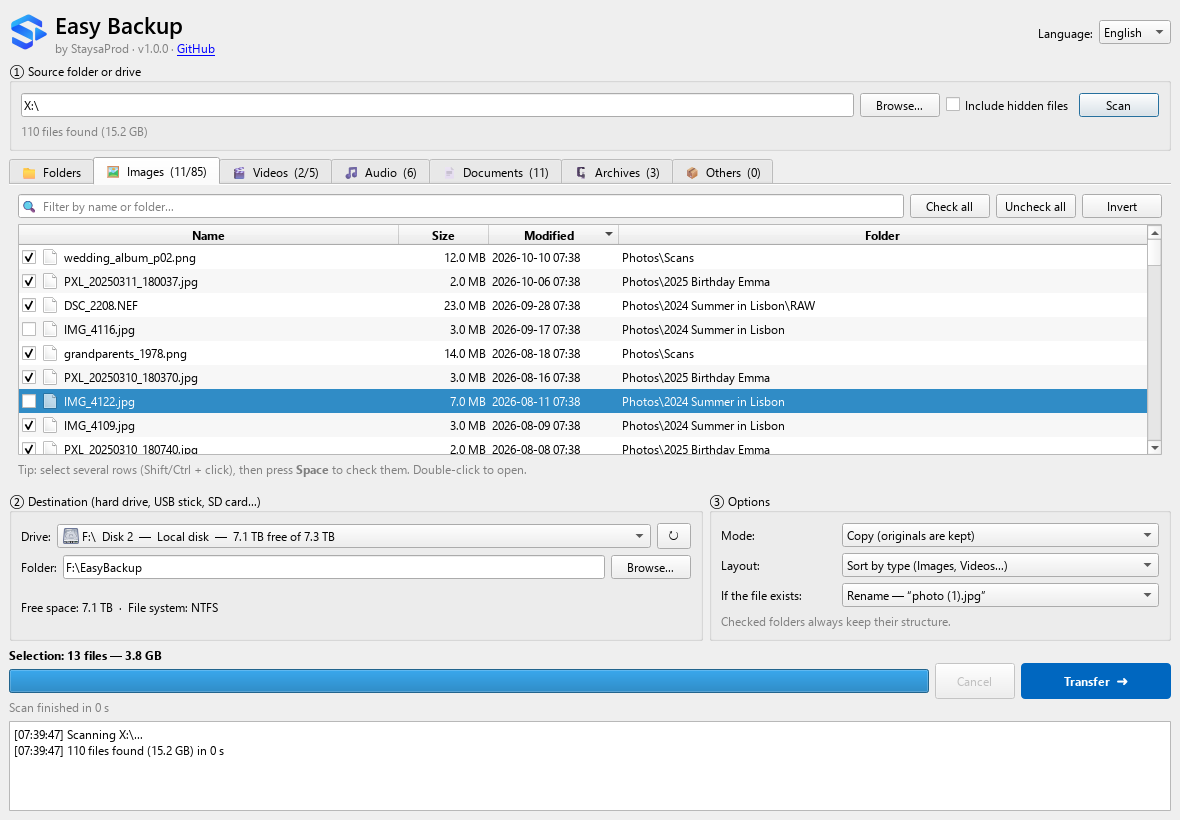
Sorted by type
Images, videos, audio, documents, archives and others each get their own tab, with sizes and dates.
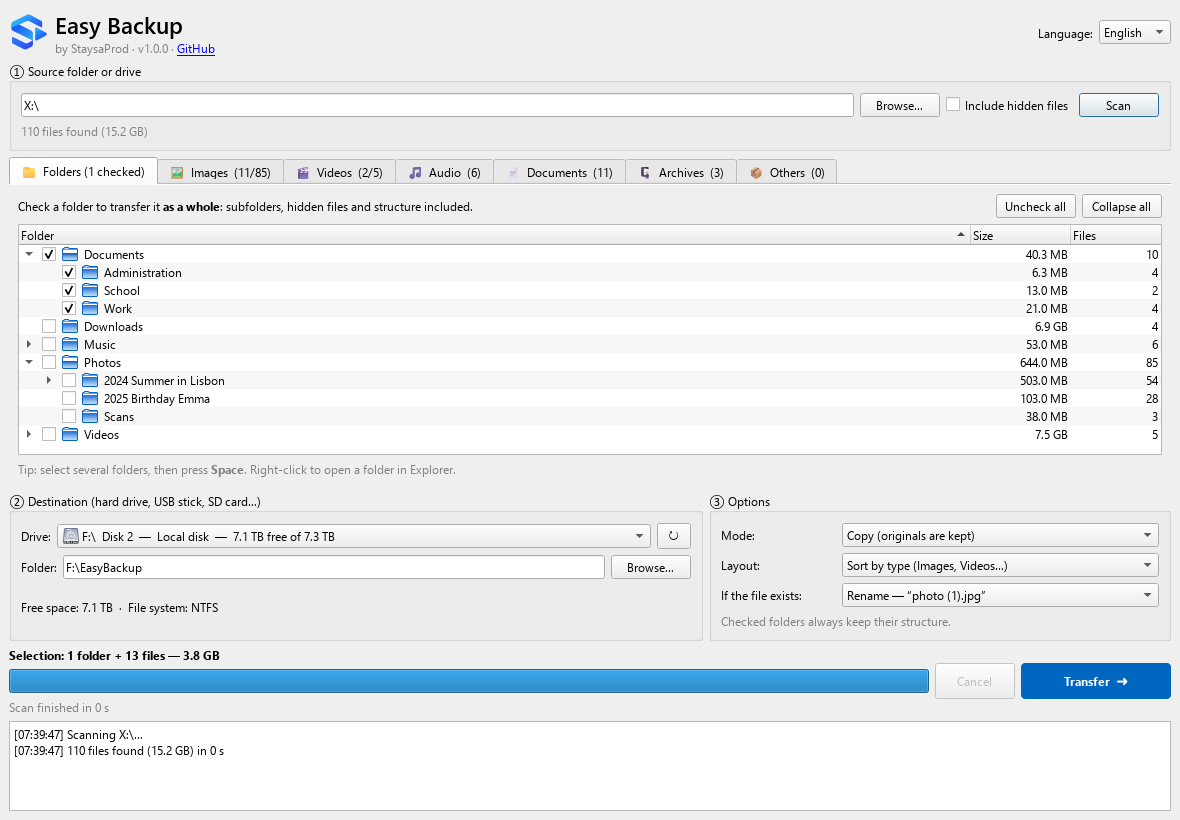
Whole folders
Tick a folder in the tree to transfer it as a whole: subfolders, hidden files and structure included.
Very fast
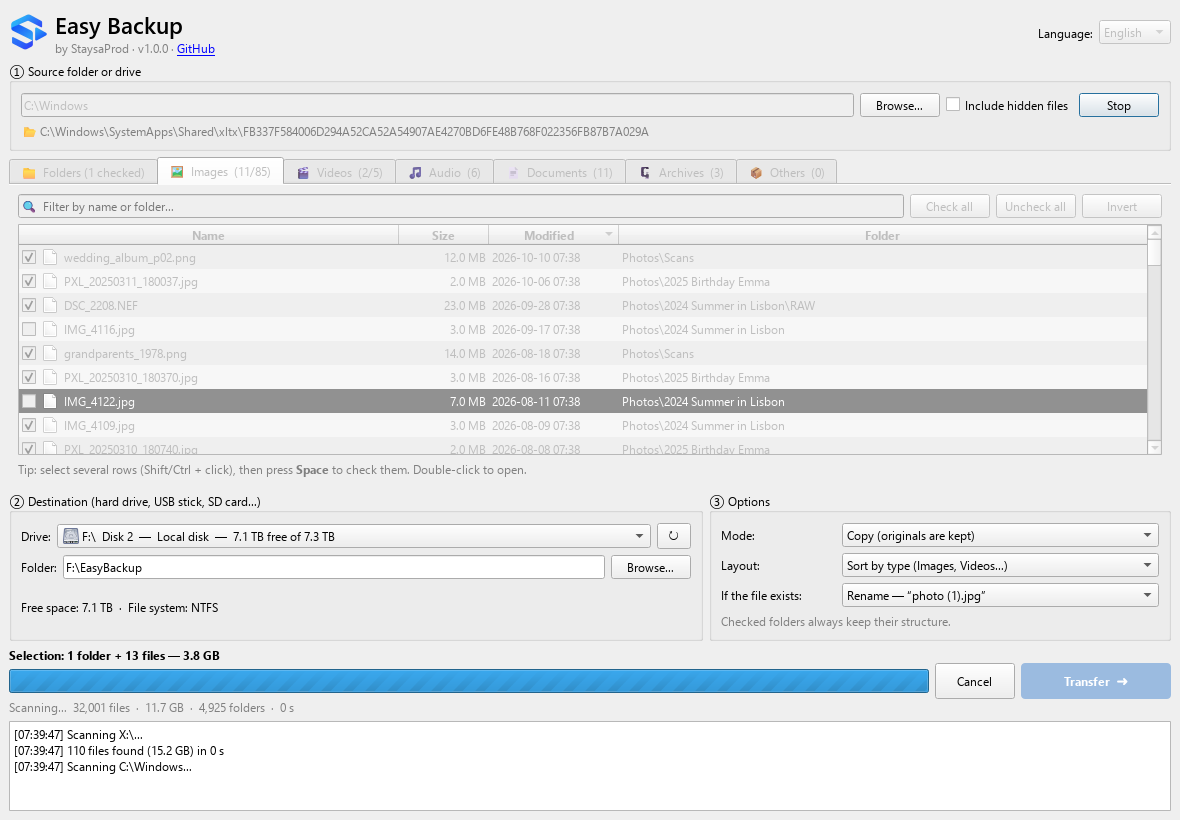
A parallel scanning engine written in Go lists a whole drive in seconds, and the window never freezes.
Safe transfers
No half-copied files, size check after each copy, originals deleted only once the copy is complete.
Made for external drives
USB sticks first in the list, free space check, warning for files over 4 GB on FAT32, clean stop if a drive is unplugged.
Copy or move, your way
Sort by type, keep the original structure, or put everything in one folder. Rename, skip or replace duplicates.
Live progress
Files found, size, speed and time remaining are shown at every step. Cancel at any moment.
English & French
Choose your language when installing, switch any time from the app.
Three steps
No account, no cloud, no configuration.
Scan
Choose a folder or a whole drive. Easy Backup lists every file, sorted by type.
Select
Tick files one by one, everything at once, or whole folders from the tree.
Transfer
Pick your external drive and click Transfer. Follow the progress, then open the destination.
Screenshots
Questions
Is it really free?
Yes. Easy Backup is open source under the GNU GPL v3 license: free to use, study, share and improve.
Windows says “Windows protected your PC”. Is it safe?
The installer is not digitally signed yet, so SmartScreen shows this warning for new apps. Click More info then Run anyway. The full source code is on GitHub, and every release is built automatically from it.
Does it need an Internet connection?
No. The installer contains everything, and the app never connects to the Internet. Your files stay on your computer and your drives.
Will my original files be deleted?
Only if you choose “Move”. In that case the original is deleted after the copy has been completed and checked. With “Copy”, nothing is ever deleted.
Which systems are supported?
Windows 10 and Windows 11, 64-bit. Installation does not require administrator rights.
How can I help?
Report bugs and ideas in the issues, translate the app into your language, or send a pull request. See the contribution guide.
Ready to protect your files?
Download Easy Backup for Windows. It's free.